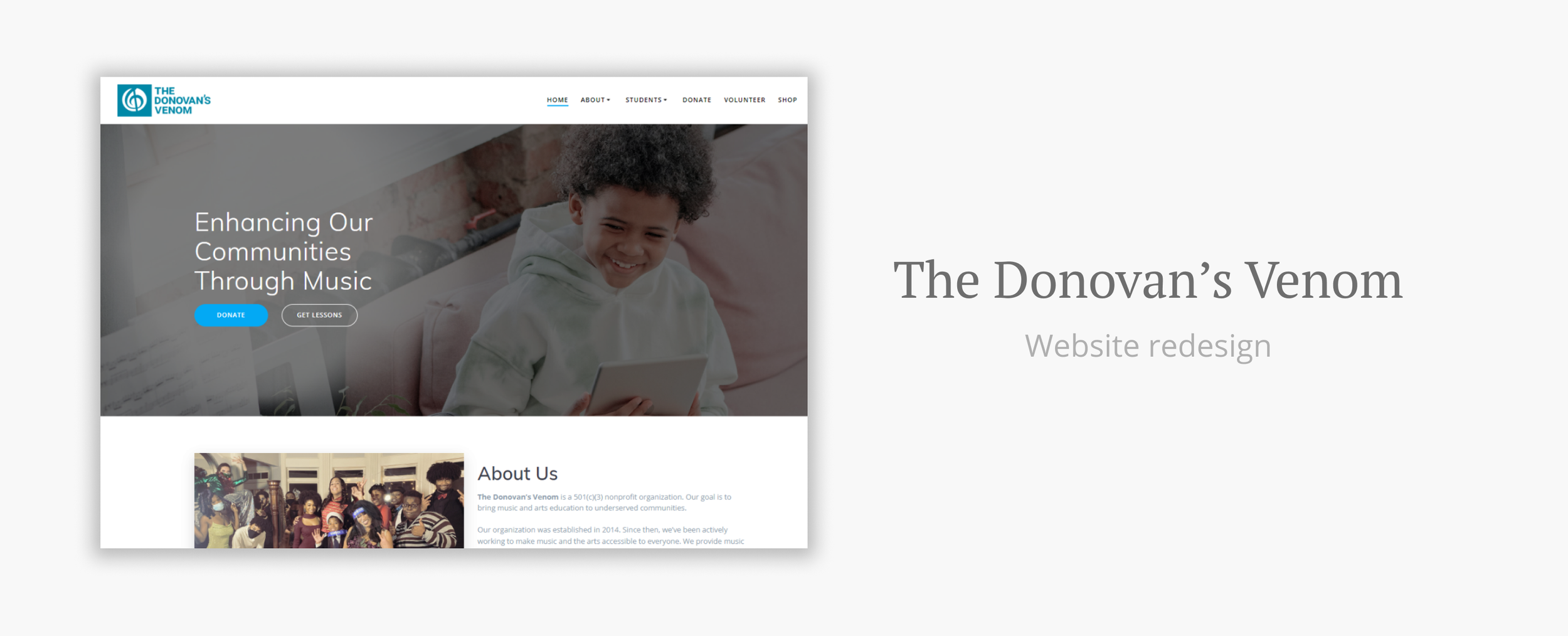
Background
The Donovan’s Venom is a nonprofit organization based in the USA. It was founded by The Donovan, a musician and philanthropist, to make music accessible to underserved populations.
Role
Website & Content designer
Duration
~3 months
Tools
Wordpress, Figma, Photoshop
Platform
Website
Problem
When I came on, The Donovan expressed the desire to have a designer with experience in Wordpress to audit the website and make it more user-friendly. The organization was launching some new projects soon, so it was important for them to have a good website on-hand.
I first approached the website as someone curious about what The Donovan’s Venom did and found some immediate problems to address (see below). The Donovan works on many different projects and wanted to feature as many as possible on the homepage. This made the page rather cluttered.
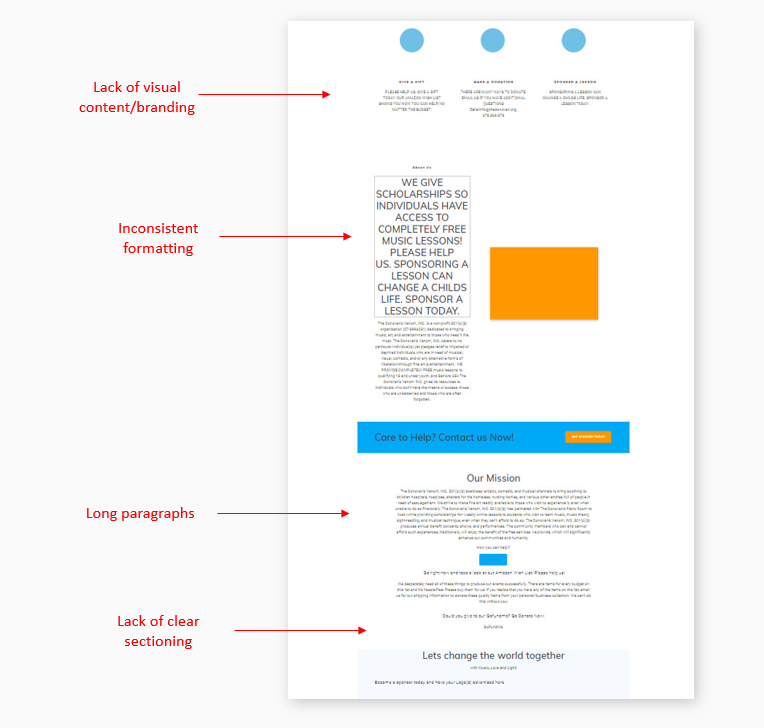
My main goal was to redesign and reorganize the homepage to better communicate The Donovan’s Venom’s main mission and make it easier for users to browse.
Constraint
The Donovan’s Venom was hosted on Wordpress with a theme that had limitations. Theme customization was rather narrow. I worked to redesign the website based on what the account would allow me to do.
User Research
Being a musician, The Donovan’s main focus is music and providing music scholarships for low-income communities. We decided to target two main user groups:
(Potential) donors
(Potential) music students
I first wanted to find out what we should prioritize on the homepage to satisfy both user groups.
I sent out surveys targeting nonprofit donors and music students to gather more information about their needs and priorities. Our surveys received a combined total of 15 responses.
In my survey, I listed items currently on The Donovan’s website and asked participants to check which ones are important to them. This lets me see what we should keep and what we can remove from the front page. Below are the results for both groups. Note that the results are in percentages.

Top 3 things that donors need:
Donation button
Recipient/beneficiary info
Different methods for donating

Top 3 things that students need:
What is being taught
Who the lessons are for
Contact info
Design Inspiration
I browsed other nonprofit websites for inspiration in this redesign. There were some common techniques that I wanted to incorporate:
Action buttons at the top
Pictures of who the organization benefits
Statistics to communicate urgency
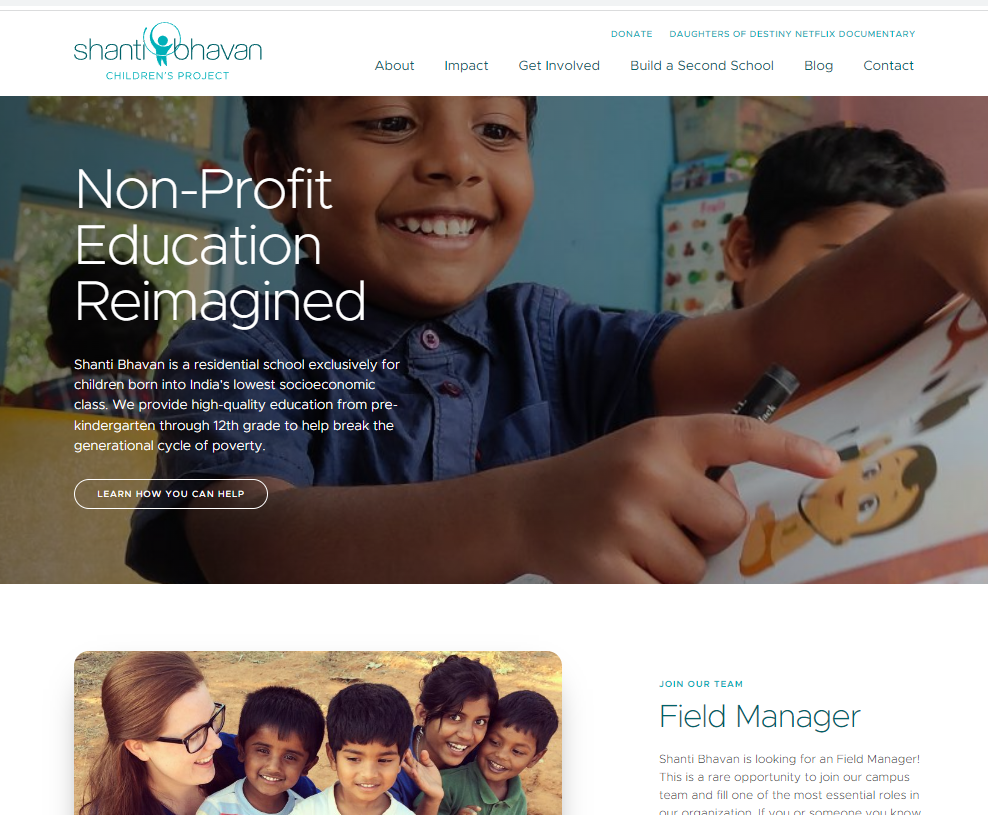
Shanti Bhavan had an action button and pictures of smiling students.
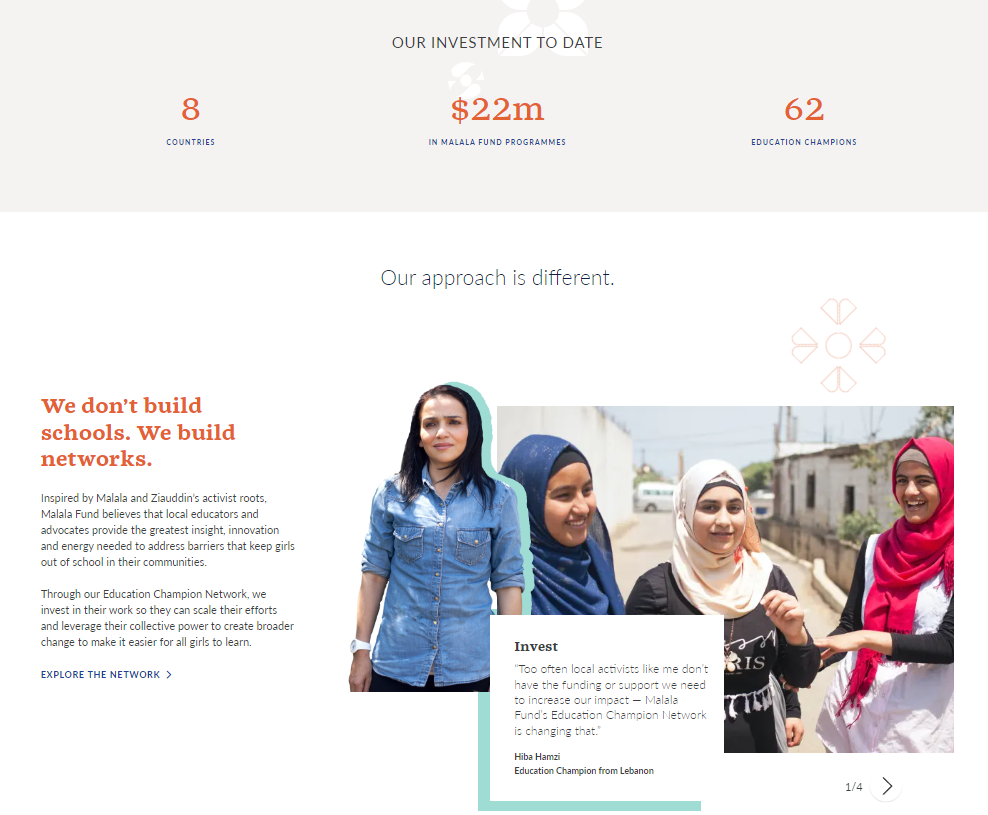
Malala Fund incorporated statistics to communicate their mission.
Wireframing
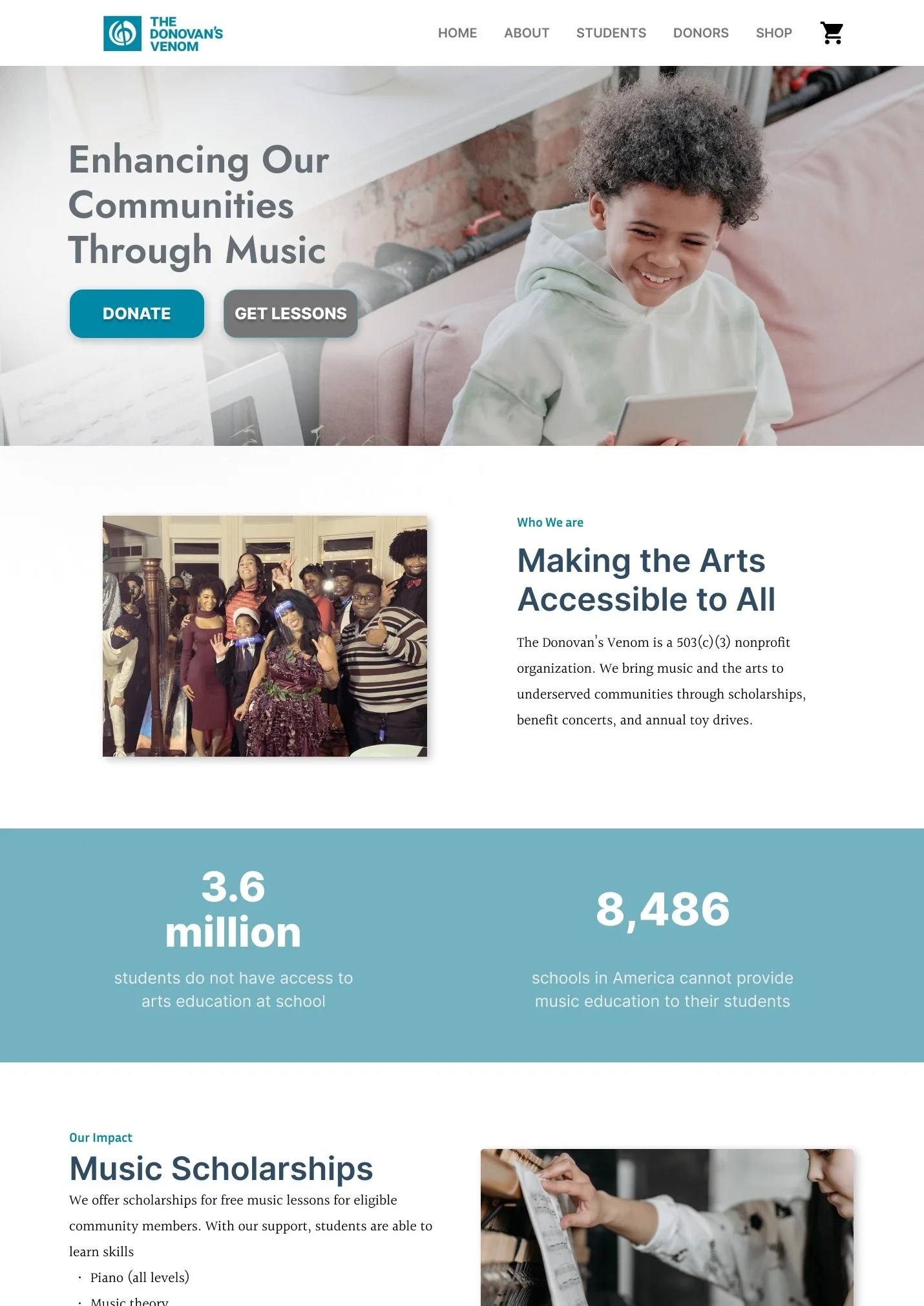
Next, I created a mockup in Figma. Although Wordpress would not be able to accommodate all of my design ideas, I decided to make the most “ideal” prototype and scale down later in the implementation stage.
Based on the survey results, I prioritized the following items on our front page to best reach both groups:
Organization’s information and contact
“Donate” button for donors, “Get lessons” button for students
Other ways to contribute for donors who want to help in another way
Info about the music scholarship
Link to scholarship application for students
I focused on visuals relating to music, art, and community. Taking inspiration from other websites, I added stock images of children learning music and incorporated statistics to communicate our mission.
In addition, I added phrases such as “Enhancing Our Communities Through Music” and “Making the Arts Accessible to All” help create a brand for the organization.
Implementation
After approval from The Donovan, I redesigned the website based on the mockup. Due to the limitations on Wordpress, I could not translate a lot of the designs onto the actual website. However, I was still able to make the front page more organized and include all of the information that we intended to share.
The Donovan’s main focus has always been about music, so I made sure this was clear. I also shortened paragraphs and made the navigation bar more concise.
Scroll within the prototype to see more.
Usability Testing
We conducted unmoderated usability tests on the two identified user groups (donors and students). We worked with a total of 9 users. Three were donors, and six were students. Half of the students were tested on the mobile version.
Users were asked to give their first impressions on our website, complete some tasks, and rate the tasks on how easy they were.
The responses were overwhelmingly positive. Below are the notes I took of the users’ comments. I made note of their pain points, suggestions, and positive comments.
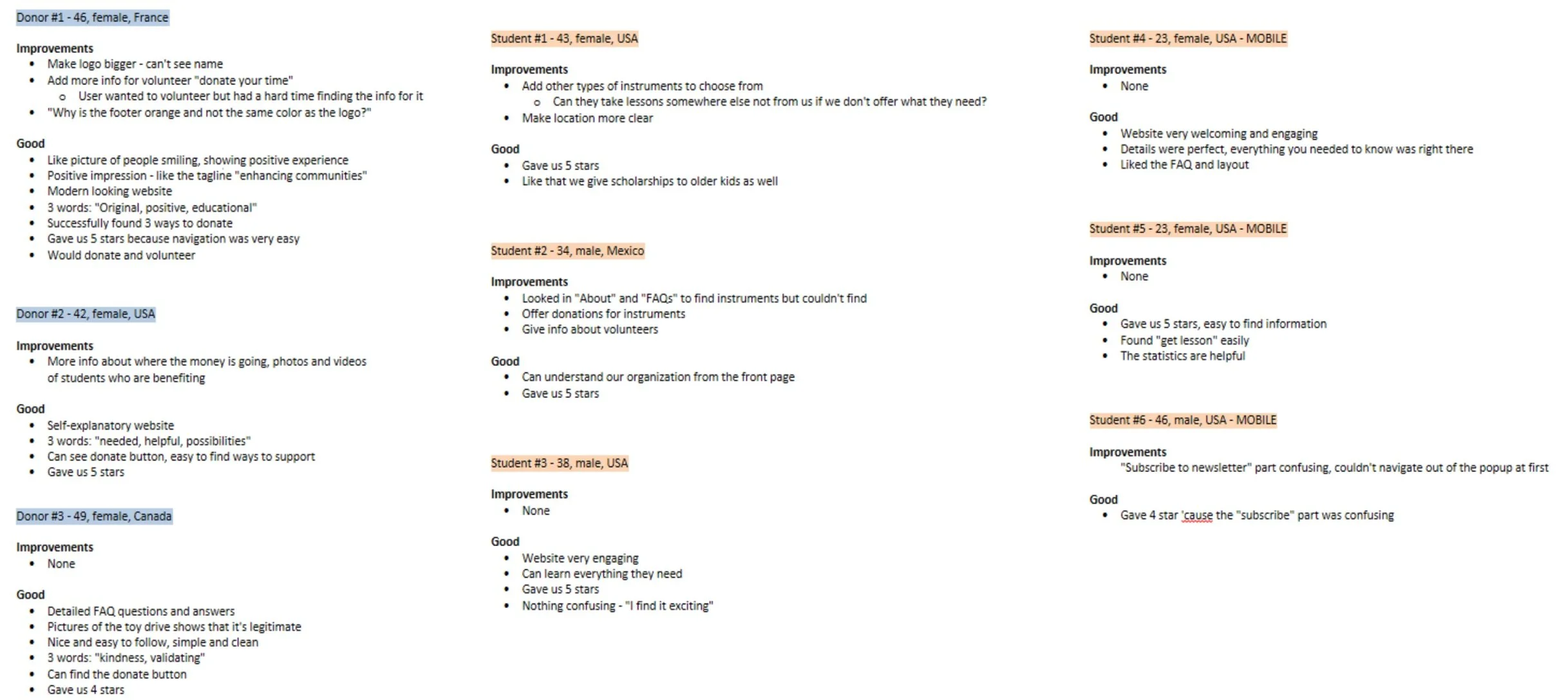
Most users…
found the website clean, simple, and easy to navigate.
understood the services that our organization provided.
noted that the phrase “Enhancing Our Communities Through Music” helped them see our mission
liked pictures of smiling children.
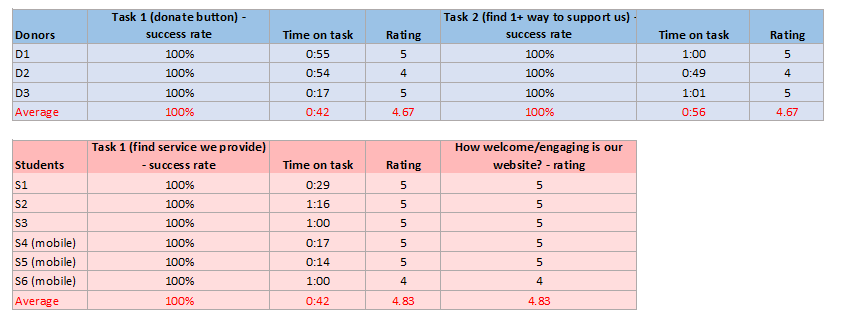
All of our users completed their tasks successfully. Among them, 7 out of 9 rated the tasks as “very easy” (with the rating of 5). In addition, 6 out of 9 participants finished all of the tasks in one minute or less. Below is the result from all of the users that participated in the test.
However, we found the following problems that we needed to address:
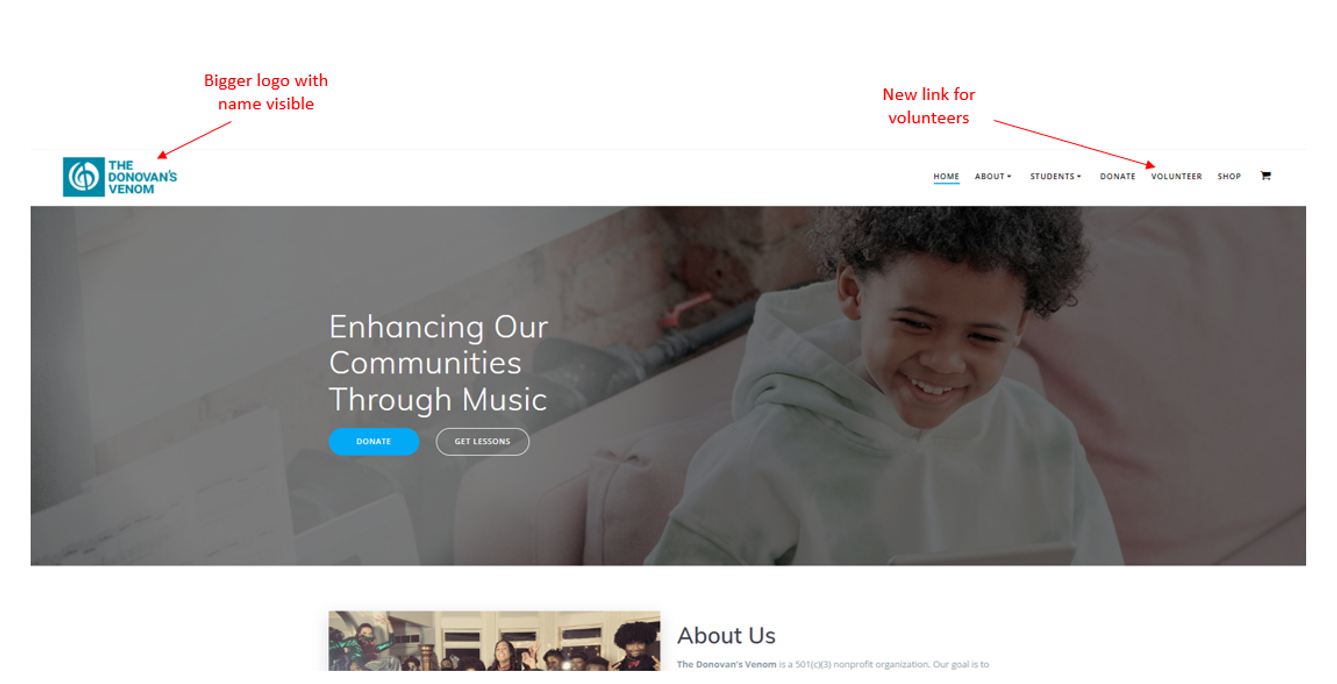
One user indicated that she did not know the name of our organization because the logo at the top was too small.
Some users wanted to see a link for volunteers.
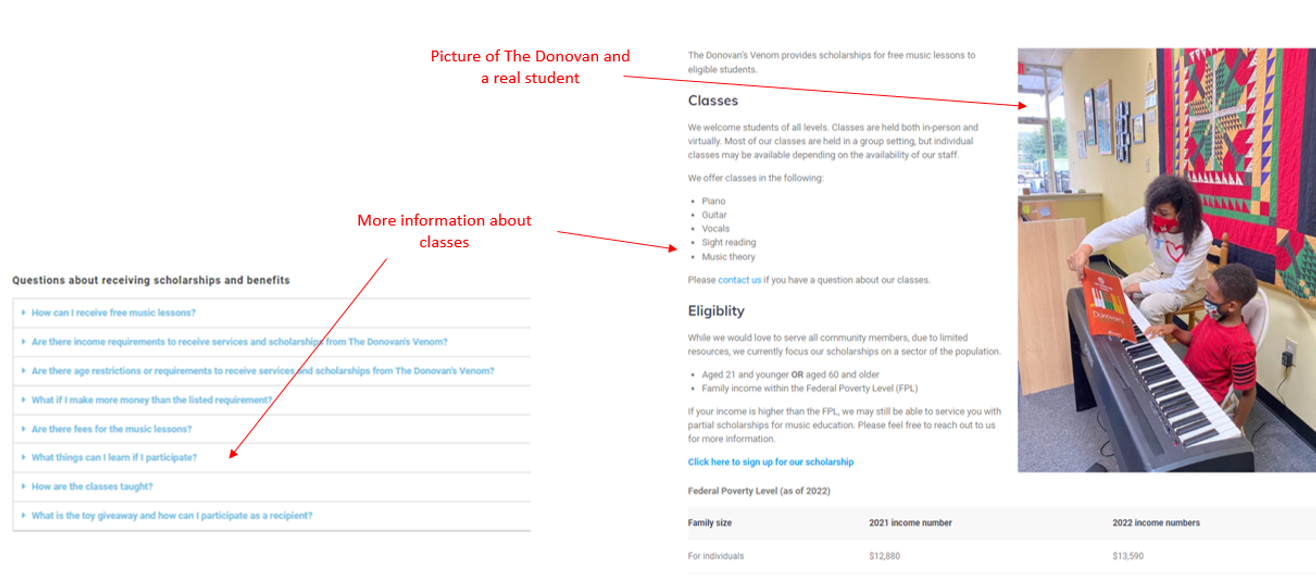
One parent tried to find a list of things we teach by looking under “FAQs” and “About” and found nothing.
Some donors wanted more pictures and reviews of students benefiting from the donations.
The Donovan, while happy that the participants had great responses, was concerned about how to get donors to be more enthusiastic about donating. We will ask a question about how to compel donors to donate in the next round of user testing.
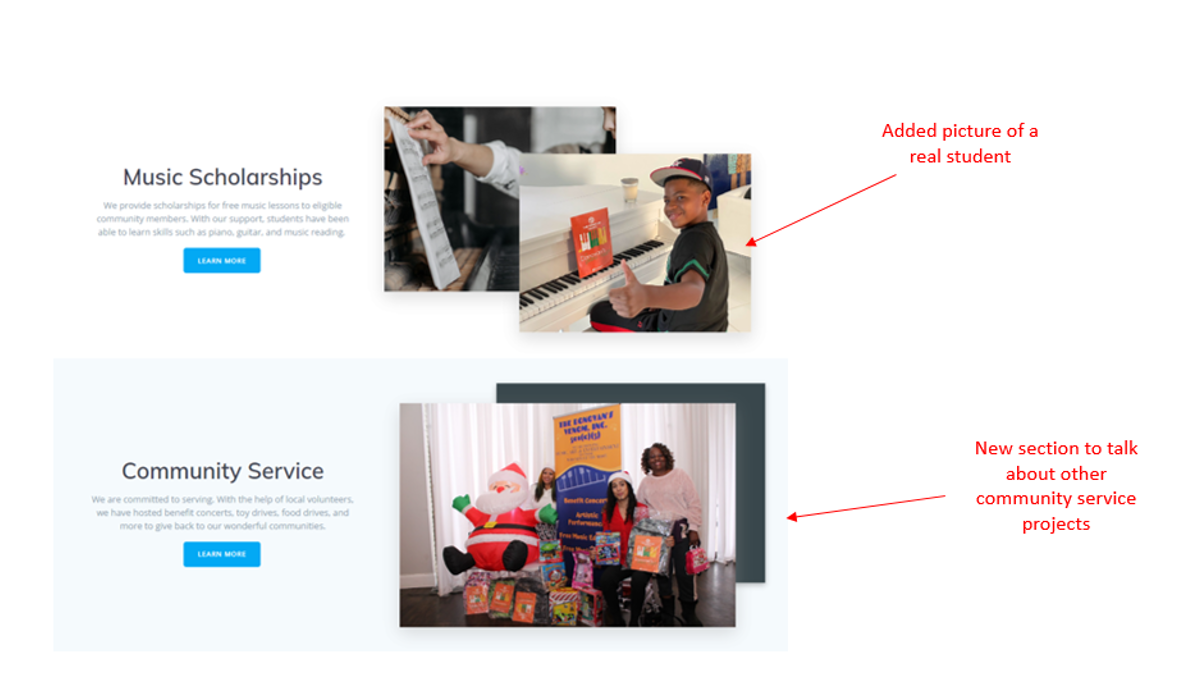
In the meantime, The Donovan wanted to add more pictures and blurbs about our community service projects to show the full picture of our organization.
Improvement
After the first round of testing, I made changes to address the concerns that the users and The Donovan had.
Usability Testing
After making the changes, we conducted a second round of usability tests. This time, due to budget constraints, we were only able to test with 3 users. We decided to test with donors because of our concern about getting people to donate.
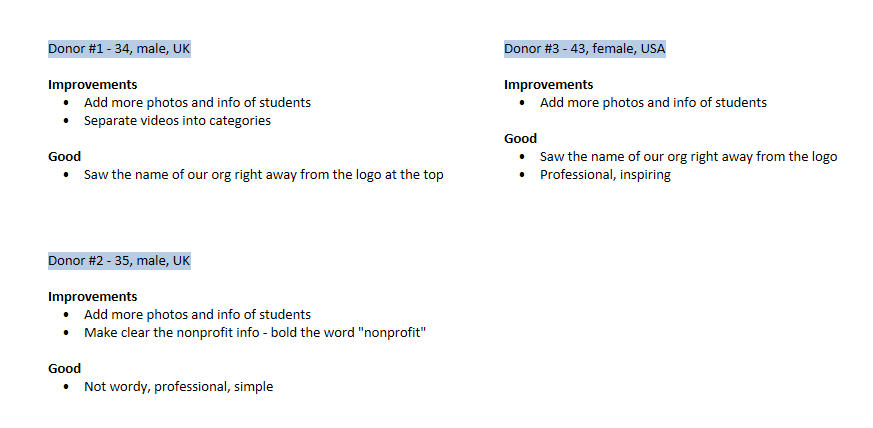
Many of the feedback was the same. Donors liked that our website was easy to read, professional, and simple. There was an improvement in that half of the users noted the organization’s name right away as they opened the front page, showing that they noticed the bigger logo.
When asked about what would compel them to donate, users 3/4 of the users said that they would like more pictures and reviews from students. This was consistent with the feedback we received from the first round of testing.
Moving Forward
The Donovan and I are continuing to work on improving the website based on user feedback. More specifically, we are looking to gather feedback from students and will add them to the website when available.
Takeaway
This was one of my first projects as a junior UX designer. I was happy to be able to collaborate with The Donovan, who was also passionate about user research even as a non-UX designer. We both learned the importance of listening to our users and bringing them into the design process.
If I were to complete this project again, these are what I would have done differently:
Less assumptions, more research. I would have done more user research at the beginning. This would include looking at the website’s analytics and interviewing current users. We focused the bulk of our research near the end of the process, and it could have been done at the beginning, too.
Better metrics. I would have tested the same amount of users and asked them do complete the same tasks in the 2nd round of testing. This would have allowed me enough metrics to do a comparison between the first set and the second set to see if there were improvements.